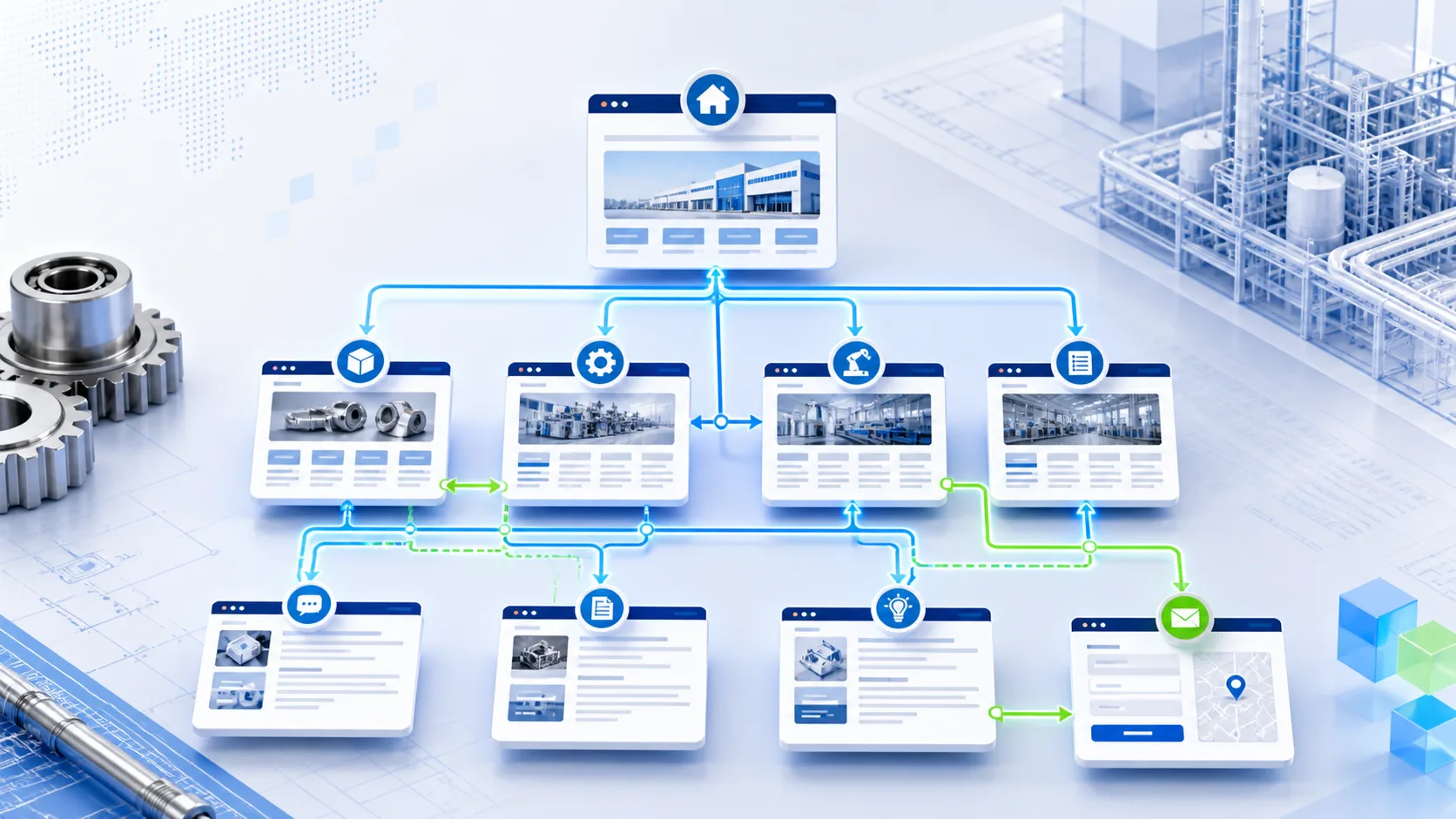
Define the role of each page
Internal links often become messy when every page tries to do everything. The homepage explains all services, the service page links to every article, and articles do not guide the reader to a clear next step.
Before planning links, define the role of each page. The homepage is the main entry, service pages explain business value, product pages explain specifications and applications, case pages build trust, insight articles answer specific questions, and the contact page receives inquiries.
- Homepage: entry to core services, cases, insights and contact paths.
- Service pages: support business keywords and buyer needs.
- Product pages: explain models, parameters, applications and selection.
- Case pages: show public project types, industries and delivery methods.
- Insight pages: answer specific questions and link back to services.
- Contact page: receive phone, email, WeChat and form inquiries.
Connect pages by buyer decision flow
Internal links should not only follow the menu hierarchy. They should follow how buyers evaluate a supplier. Industrial buyers usually check relevance first, then solution, product, proof, pricing scope and contact path.
For example, an article about website section planning can link to the export website service page, related landing page articles, case page and contact page. The reader can move from understanding a problem to evaluating a service.
- Problem-led articles link to matching service pages.
- Service pages link to articles that explain details.
- Product or service pages link to cases and contact paths.
- Pricing content links to service scope and inquiry forms.
- English pages link to English matching pages to avoid language breaks.
Do not let new articles become isolated
A common publishing mistake is adding a new article to the insight list and sitemap but not linking it from any service page, homepage section or related article area. The page is accessible, but its internal strength and business path are weak.
Each new article should pass at least three checks: whether it appears in the insight list, whether a related service page links to it, and whether the article links back to a service or contact page.
Use specific anchor text
Anchor text such as click here or learn more is usually too vague. Better anchor text describes the target clearly, such as View export website and landing page service or Continue reading how to write service pages.
Manufacturing websites can write anchor text around products, industries, applications, services and buyer questions. Do not repeat the same keyword in every link just to increase keyword density.
- Use the service name for service links.
- Use the question or topic for article links.
- Use a clear action for contact links.
- Avoid repetitive anchor text that does not fit the context.
Keep Chinese and English links aligned
If the website has Chinese and English versions, internal links should not be maintained only in Chinese. English pages also need paths to English services, English insights, English contact pages and the matching Chinese pages.
Canonical, hreflang and language-switching links should stay consistent. Chinese articles should mainly link to Chinese services; English articles should mainly link to English services. The two versions then connect through the language switch.
Use a launch checklist
Internal linking is not a one-time SEO task. It should be part of every publishing workflow, especially when adding service pages, insight articles, case pages and homepage modules.
Hulian Linglu Technology checks page topic, service links, related articles, sitemap, canonical, hreflang, mobile layout and contact paths when maintaining manufacturing website content, so that new pages do not go live as isolated URLs.
- Is the new page included in sitemap and the right listing page?
- Does it link to at least one relevant service page?
- Does the related service page link back to the new article?
- Are related articles actually relevant rather than random?
- Do Chinese and English versions link to each other?
- Are mobile buttons clickable and unobstructed?